License update
Configuration: DOC -> Settings  -> Licenses
Procedure for license updates:
When updating, licenses can be extracted from existing policies and entered into the licence policy. Existing licenses are not deleted from the existing policies. This makes it easier to switch to the new license management method from version 2024.2.
Use the Extract licenses from policies menu command for this purpose.
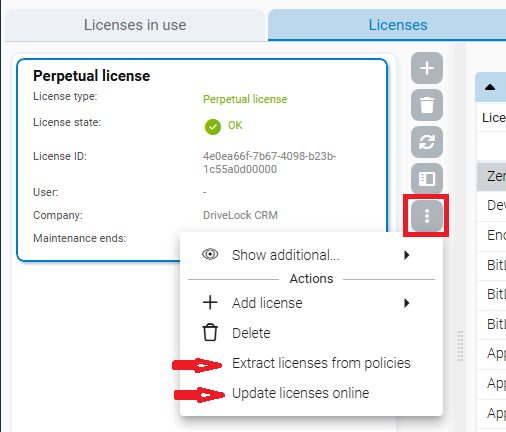
You can also use the Update licenses online menu command to manually initiate a license update. By default, the DES checks for updates every 12 hours. Use this command to automatically 'pick up' the licenses after license renewal so that they can then be updated in your license policy.