Application collection for Microsoft Office products
Configuration: DOC -> Security Controls -> Applications -> Configuration -> Application collections
Scenario: You want to group different Microsoft Office products in an application collection to be able to use them in application behavior rules or application collection rules.
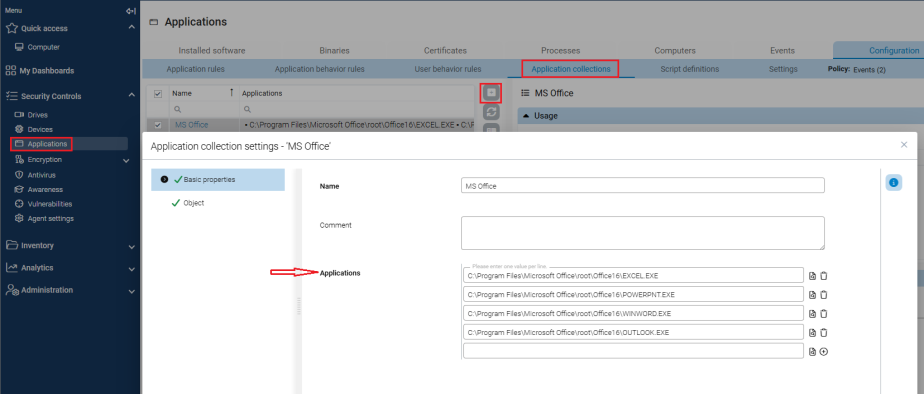
- Open the Application collections section.
- Click the
 to open the application list settings.
- Enter a unique description, here MS Office.
- You can optionally enter a comment.
- Add the paths to the applications you want to include. You can later remove applications or edit the paths.
- Save the application collection and then use it in application behavior rules or application collection rules.
In addition to the DriveLock Operations Center (DOC), application collections can still be managed in the DriveLock Management Console (DMC).