Custom notifications (DOC)
In the DriveLock Operations Center, you can create custom notifications in addition to the standard notifications. You can then use these custom notifications in various policies and configurations.
Create a custom notification
Click the  icon. Select Create custom notifications.
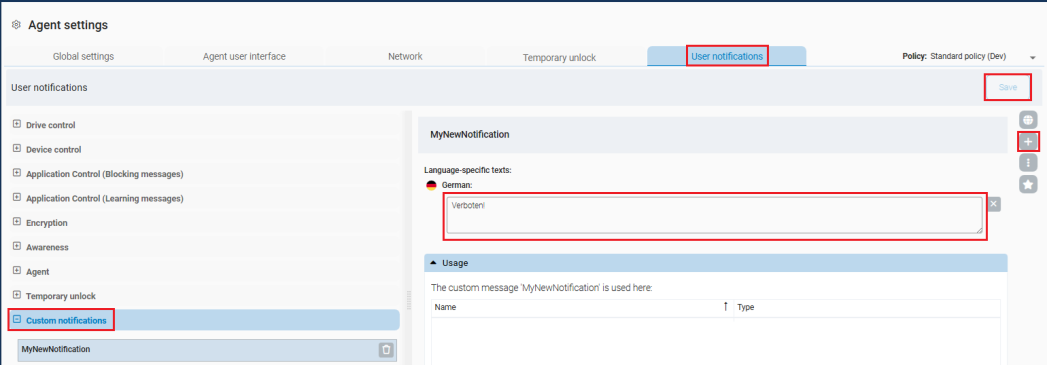
Enter a name for the notification and then define the language-specific text for the available languages. Save your changes.
A new Custom notifications section is added below Temporary unlock.
View usage
The Usage section shows which policies or configurations use the selected notification.
Edit a custom notification
Select an existing notification from the list and edit the text for the desired language. Then click Save to apply your changes.