Application Control events
Configuration in DOC -> Analysis -> Events -> Configuration -> Event configuration
Application Control generates events when applications are executed or blocked. These events provide information about application execution and are also used to populate the application database.
To send events to the DriveLock Enterprise Service (DES), the corresponding event forwarding must be configured in the policy. In the DOC, you can view and analyze the forwarded events under Analysis > Events.
Configure event logging
By default, Application Control generates events for blocked actions. Logging of allowed actions must be configured separately.
The following settings for additional event logging are available under General settings:
-
Always audit application execution (independent of blocking mode): Logs application execution regardless of the scanning and blocking mode.
-
Report actions allowed by temporary unlock: Logs actions permitted by a temporary unlock.
-
Number of processes reported retrospectively: Specifies how many parent process starts are reported retrospectively when Application Control generates an event for a process action.
In application behavior rules, you can also specify whether audit events are generated for allowed or denied access.
Important Application Control events
Important Application Control events include:
-
473: Process blocked
-
474: Process started
-
648: DLL blocked
-
649: DLL loaded
-
795: Script blocked
-
796: Script executed
Events for script execution
Script execution is no longer reported through file access events 650 and 651. Instead, it is logged using the dedicated events 795 (Script blocked) and 796 (Script executed).
In addition to information about the executing process and the applied rule, these events provide additional details about the script file, including:
-
File path and hash
-
File size
-
File owner and user SID
-
Certificate information such as issuer, subject, serial number, and thumbprint
This information makes it easier to analyze script execution and assess blocked scripts.
In the event configuration, you can review the corresponding events under Application Control and configure actions if needed.
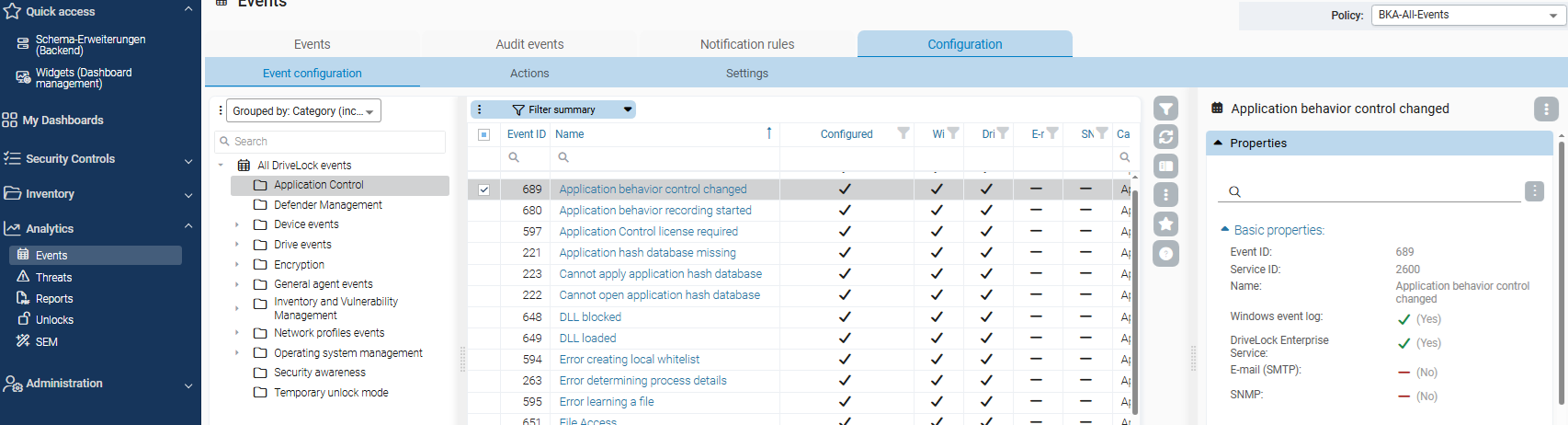
The following figure shows an event reporting a change in the learning or control status of an application:
For a complete list and detailed descriptions of all DriveLock events, see the separate event documentation at DriveLock Online Help..