Logged-on users
The Logged-on users setting allows you to specify which users or user groups a rule or configuration applies to.
This setting is available in various sections of the DriveLock Operations Center (DOC). The exact behavior depends on the configuration element. For example, you can control which users a drive rule, a recovery rule, or a file filter is applied to.
File filters
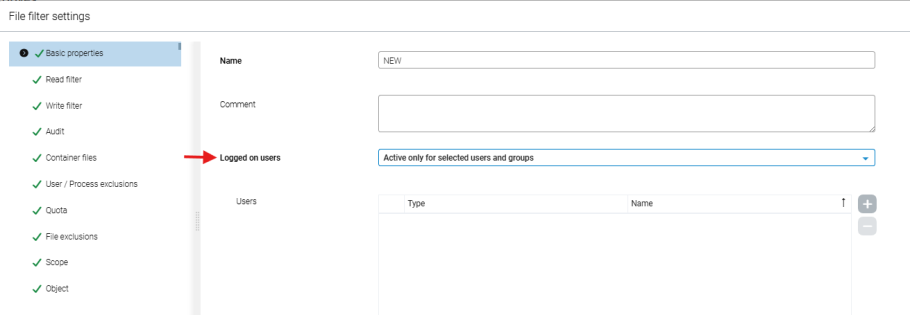
For file filters, you can specify which users or user groups the file filter is active for.
Configuration in DOC: Security Controls -> Drives -> Configuration -> File filters
Drive rules
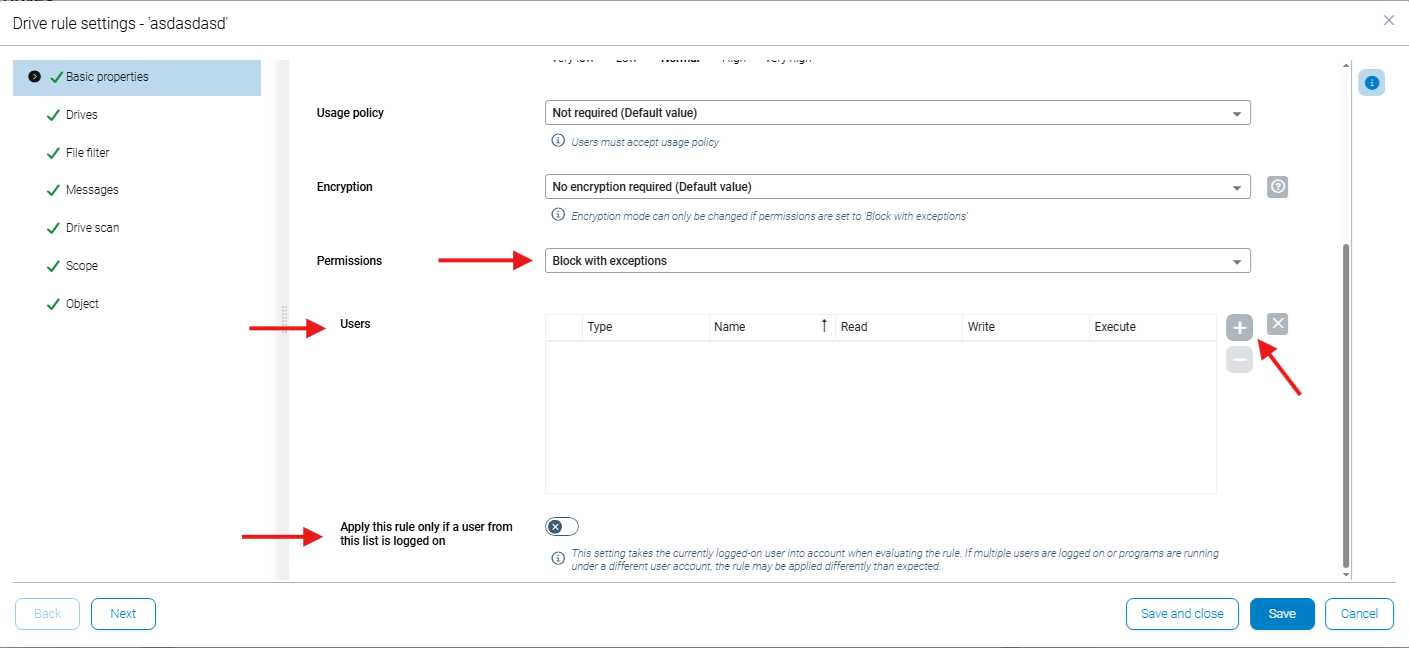
For drive rules, you can additionally specify that a rule is applied only if a user or user group from the defined user list is currently logged on.
In DOC, this is configured using the Apply this rule only if a user from this list is logged on option. The drive rule is then applied only if a user or user group from the defined user list is currently logged on.
This feature controls only whether a rule is applied. The actual access rights are defined through the rule's Permissions settings.
This feature is available in DOC for drive rules starting with version 2026.1. The corresponding functionality for device and application rules is currently available only in the DriveLock Management Console (DMC).
The option is available only if Block with exceptions is configured for the rule.
Configuration in DOC: Security Controls -> Drives -> Configuration -> Drive rules
Please note that on systems where multiple users are logged on simultaneously - such as terminal servers - behavior may differ from the expected rule application.
DriveLock Management Console (DMC)
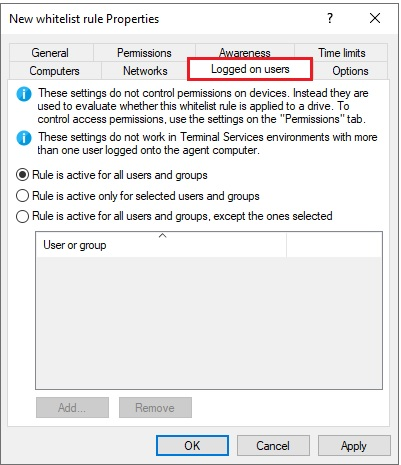
In the DriveLock Management Console (DMC), the configuration is performed on the Logged-on users tab within the corresponding rule.
The setting determines which logged-on users or user groups a rule applies to.