Enable the Self-Service wizard
To allow users to initiate Self-Service unlocks, the Self-Service Wizard must be made available on the agent.
Starting with version 2026.1, Self-Service is also supported on macOS and Linux Agents.
Configuration: DOC > Security Controls > Agent Settings > Agent user interface > Start menu
-
Select the Agent settings.
-
Go to the Agent user interface tab.
-
Select the Start menu section.
-
Select the Show link to self-service wizard in start menu option.
-
Save the policy and assign it to the required computers.
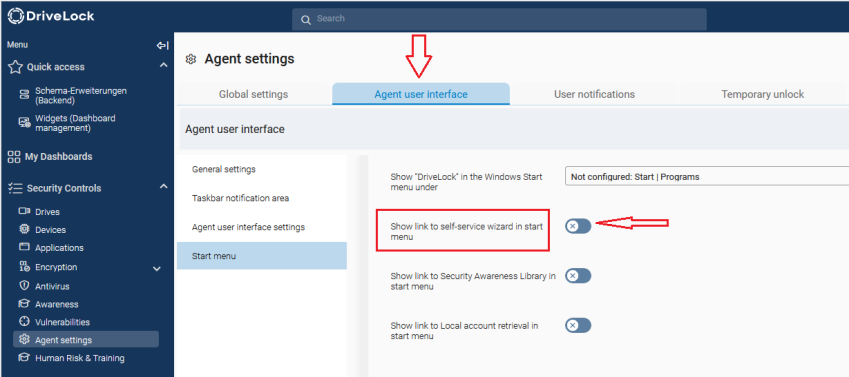
After the policy update, users can start the Self-Service Wizard from the Windows Start menu.
Related topics