Settings
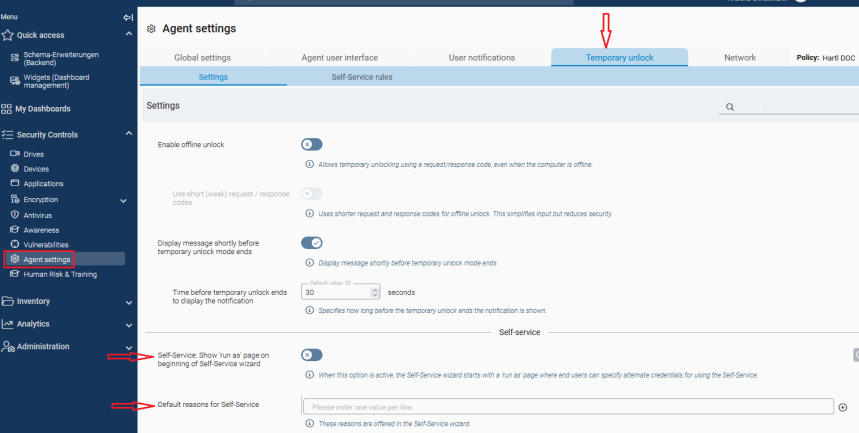
Configuration: DOC > Security Controls > Agent settings > Temporary unlock > Settings
These settings control global functions of the Self-Service Wizard. Examples include default reasons for unlocks, alternative logon options, and accounts used for Active Directory queries.
Note that not all settings available in the DriveLock Management Console (DMC) are also available in the DOC.
|
Setting |
Functionality |
|---|---|
|
Default reasons for self-service |
Defines default reasons that users can select in the Self-Service Wizard. |
|
Self-service: Show 'run as' page on beginning of self-service wizard |
Displays a page at the beginning of the Self-Service Wizard where users can enter alternative credentials. |
|
Self-service: Account for Active Directory queries |
Specifies the account used for Active Directory queries when a local user is logged on or when the computer is not joined to a domain. |
|
Self-service: Alternative account for Active Directory queries |
Specifies an alternative account that can be used for Active Directory queries if required. |
Related topics