Monitoring temporary unlocks
Configuration in the DOC > Analysis > Unlocks > Temporary unlocks
In this view, you can monitor temporary unlocks and track their status. The overview includes both active and completed unlocks.
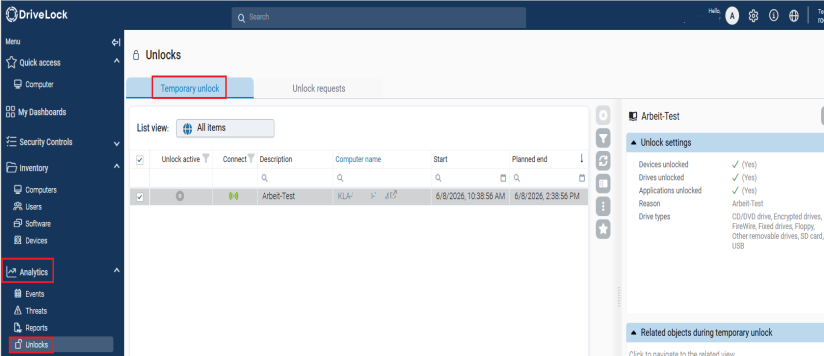
Unlock information
For each unlock, information such as the user, computer, unlock type, start time, scheduled end time, actual end time, and current status is displayed.
The overview includes both active and completed unlocks, allowing you to track previous unlock activities.
When you select an unlock, the unlock settings, affected objects, and events generated during the unlock are also displayed. This allows you to centrally review unlocks and their impact.
Unlock status
The status indicates whether an unlock is currently active, has been terminated, or has expired.
Related topics